IP Protection
IP protection restricts access to specific URLs so only visitors from your allowlisted IP addresses can reach them. It is disabled by default and only applies to the URLs you choose to protect.
Available on the Advanced, Professional, Network, and Enterprise plans.
How it works
- First, add your allowed IP addresses in IP Rules > Allow IPs.
- Navigate to Protect Pages > IP Allowlist in the sidebar.
- Enter the URL path you want to restrict (e.g.,
/admin,/internal). - Click Restrict Page.
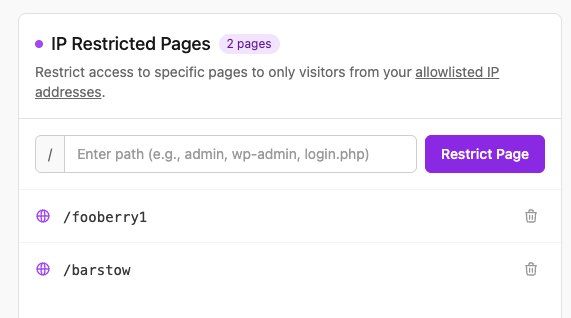
Add the allowed IP addresses on the IP Rules > Allow IPs page first:
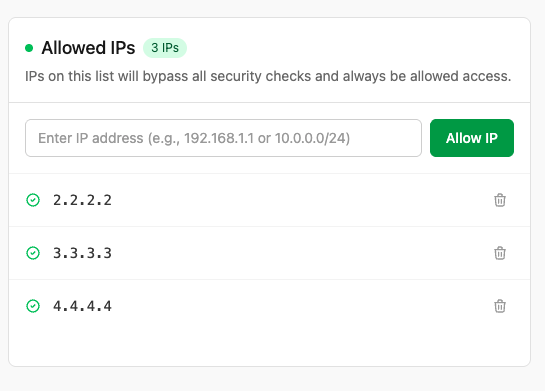
Only visitors whose IP address is on your allowlist will be able to access the protected URL. All other visitors will be blocked.
Common uses
- Restrict admin panels (
/admin,/wp-admin) to office or VPN IP addresses. - Protect internal tools and staging URLs from public access.
- Add an extra layer of security on top of application-level authentication.
Important
- You must configure allowed IPs in IP Rules > Allow IPs before IP-restricted pages will be accessible to anyone.
- IP protection applies at the WAF level, before requests reach your origin server.
- Removing protection from a page takes effect within a few seconds.